Lumavo AI · HDR Enhancement
Real Estate HDR Editing
Without Lightroom
Upload your bracketed exposures and Lumavo's AI returns a perfectly balanced HDR image — pulled windows, lifted shadows, corrected verticals — in seconds. No plugins, no subscriptions, no manual blending.
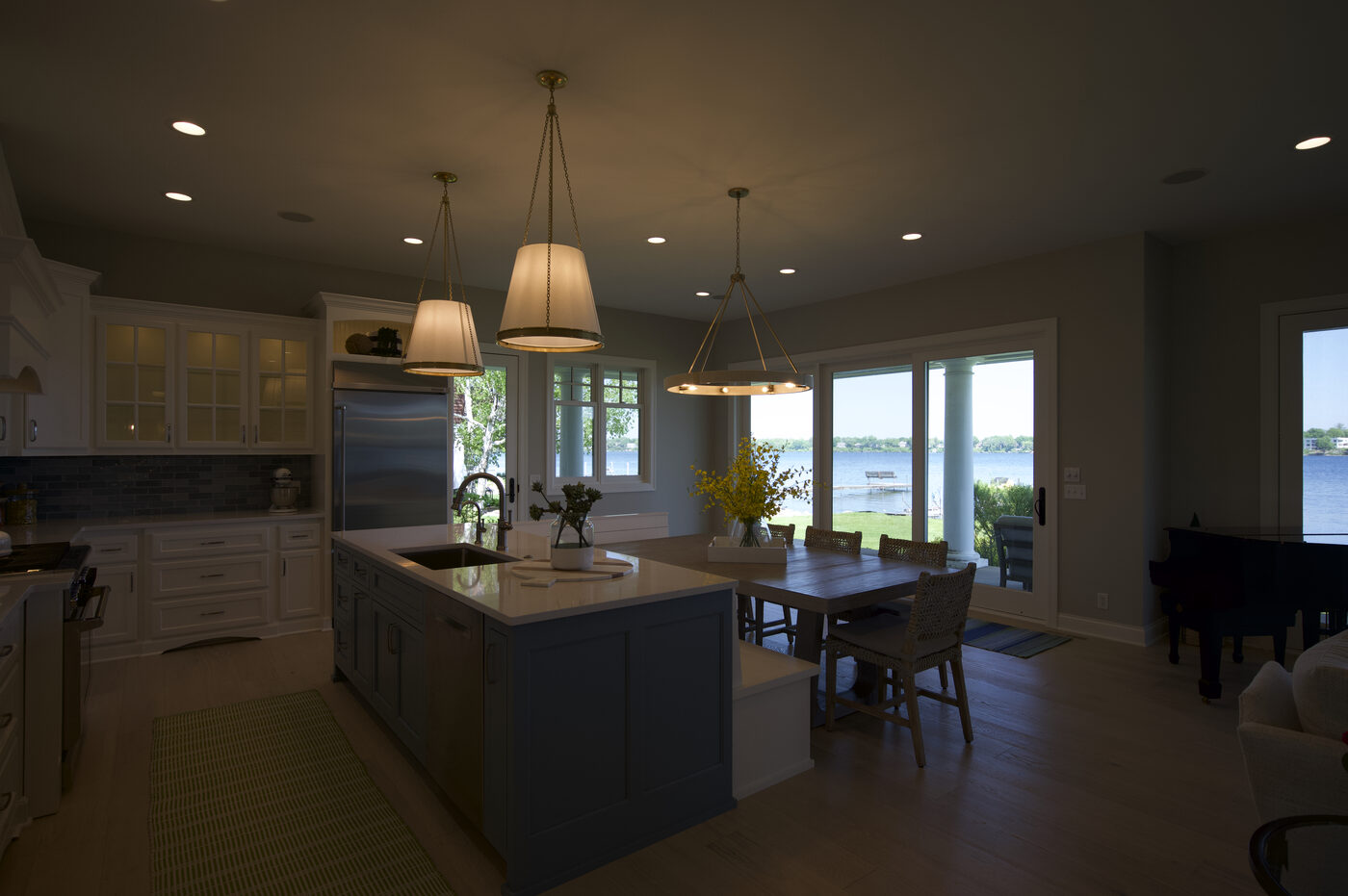 BEFORE
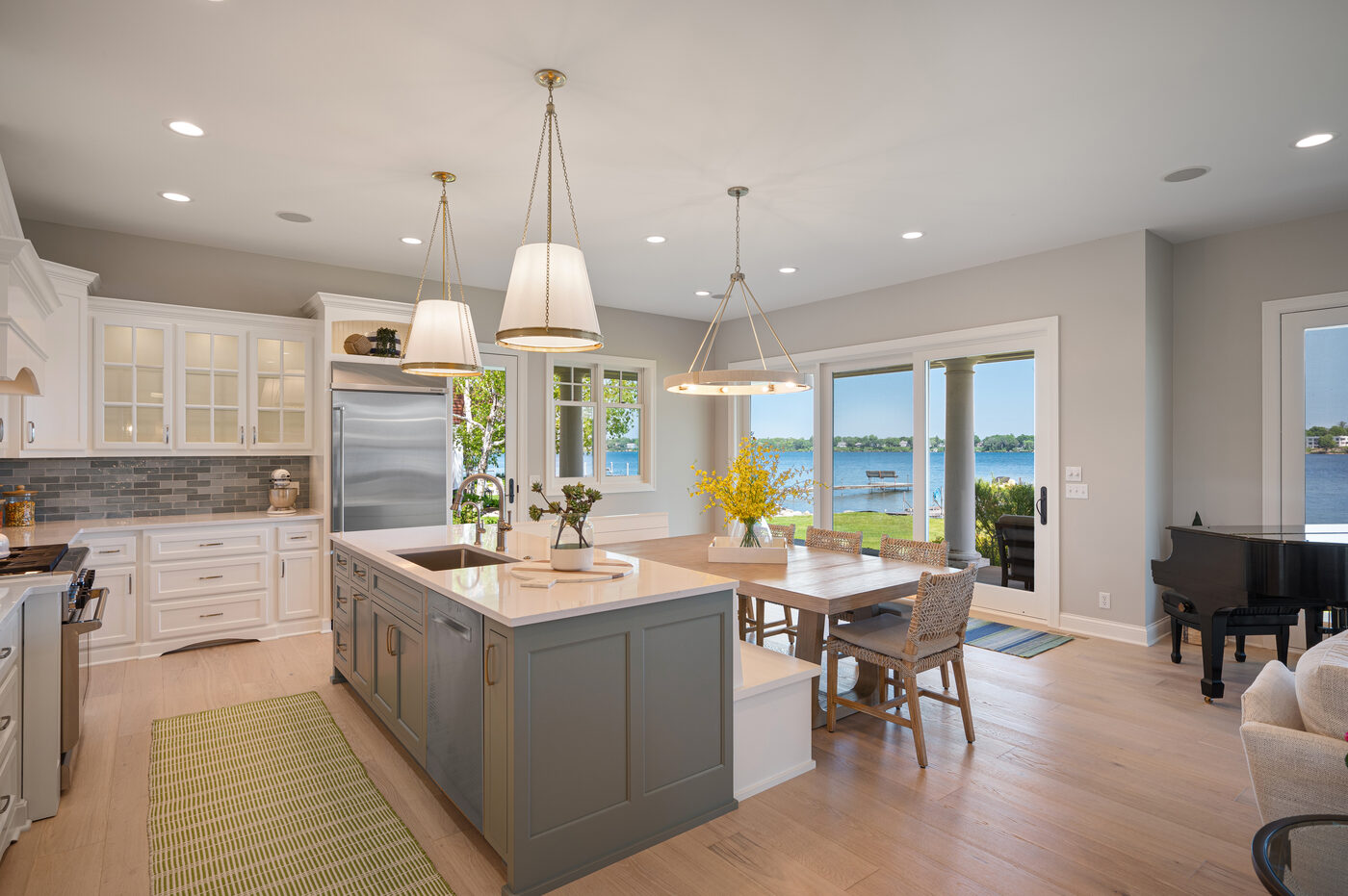 AFTER · LUMAVO AI
How HDR Enhancement Works
Upload your brackets
Drop your -2EV, 0EV, and +2EV exposures into Lumavo. Works with JPEG and TIFF files from any camera.
AI merges and enhances
Lumavo's model blends the exposures, recovers window detail, lifts shadows, and corrects verticals automatically.
Fine-tune in Aura Studio
Open the built-in Aura Studio editor to tweak exposure, temperature, clarity, or any of 12 sliders — all on the actual pixels, not a filter.
Download MLS-ready files
Get web, MLS, and print-sized exports in one click. Send directly to your delivery portal or Dropbox.
Everything Real Estate HDR Needs
Not just a merge — a complete HDR workflow built for real estate delivery.
Window Pull
Exposures are blended so exterior views are bright and detailed without blowing out the interior — the result real estate buyers expect.
Shadow Recovery
Dark corners, unlit hallways, and shaded areas are lifted naturally without graininess or halos.
Vertical Correction
Converging verticals are automatically straightened — walls and door frames stay upright.
True Pixel Editing
Every adjustment in Mavi is a real change to image data — not a CSS filter or preview overlay. Export exactly what you see.
Multi-size delivery
One upload returns MLS (1000px), web (2000px), and print (full-res) versions. No resizing in Photoshop.
Free re-runs
Not happy with the result? Re-run any enhancement at no extra cost — unlimited retries until it's right.
HDR Enhancement — FAQ
How does Lumavo's HDR enhancement work?
Upload your bracketed exposures (typically -2EV, 0EV, +2EV) and Lumavo automatically merges them into a perfectly balanced HDR image — pulled window detail, natural shadow recovery, and corrected verticals. Results are delivered in MLS-ready, web, and print sizes.
Do I need Lightroom to use Lumavo HDR?
No. Lumavo's AI handles the entire HDR workflow without Lightroom. You upload your raw bracketed files and Lumavo returns finished, delivery-ready images — no plugins, no local software, no subscription to Lightroom.
How much does HDR enhancement cost?
On Lumavo Flex, the $5 per delivered listing includes your first 10 HDR-edited photos; beyond 10 it's $0.50 per additional image. On Lumavo Pro, HDR is included in the $29/listing price. There are no credit bundles — you simply pay per image or per listing, and your first shoot is free.
Can I re-run an HDR result I'm not happy with?
Yes — every AI result can be re-run at no extra charge. If an enhancement doesn't look right, click Re-run. Lumavo doesn't charge again for re-runs.
What file formats does Lumavo accept for HDR?
Lumavo accepts JPEG and TIFF bracket sets. Most photographers shoot in JPEG fine or export RAW brackets to JPEG before uploading. Full RAW support is on the roadmap.
Ready to cut your editing time in half?
Join thousands of real estate photographers already using Lumavo AI.
Start Free Today